

Migrating my photography portfolio from NextJS to Astro
Introduction
Giving my photography portfolio a makeover with sleek animations and (significantly) smaller bundle.
Context
My old portfolio was due a redesign, but NextJS was actually working against it. Pages arrived empty until JavaScript ran, the new animations would bloat the bundle, and most of NextJS's offerings went unused on a site that only shows photos.
Problem solved
83% less JavaScript, a Lighthouse SEO score up from 83 to 100, and pages that arrive as real HTML instead of an empty shell.
An Empty Initial Render
The NextJS version looked fine once it loaded, but the problem was around that initial render.
The root layout utilised separate desktop and mobile trees with a useMediaQuery hook. A null value was returned until React had mounted, which caused zero content rendering on the server side (validated in-browser by disabling JavaScript, resulting in a metadata shell + client rendering instructions).
It’s important to clarify that this isn’t a shortcoming of NextJS. It is simply an app-first framework that I was using for a content-first site. I had the option of altering the next.config.ts file to export the site as static, but this would have added a lot more boilerplate and refactoring across the client component architecture and outputs.
Redesigning the Site
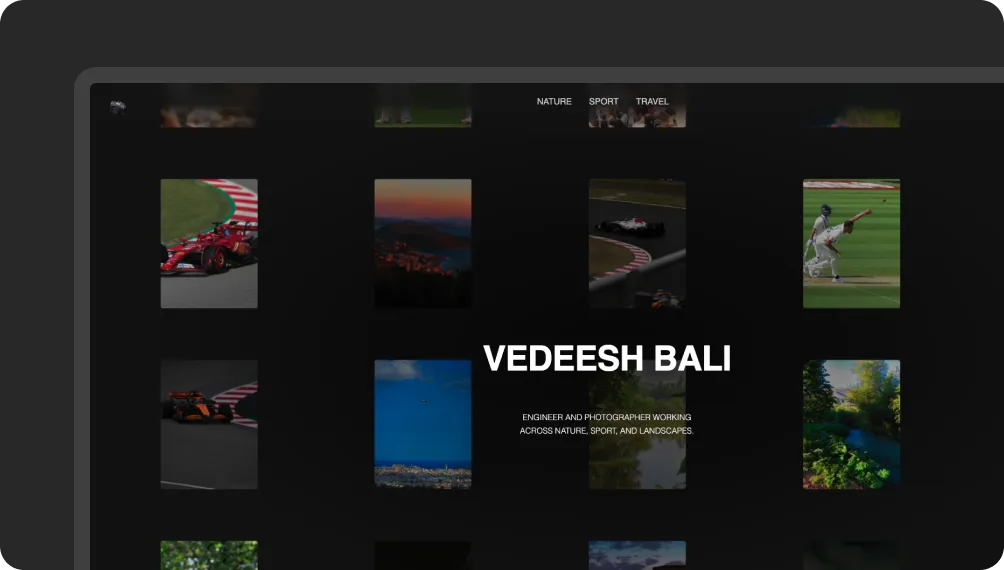
This exploration began because I wanted to redesign my site to be more interesting and playful. The plan was to include animations across a background grid along with cleaner image transitions.
Using the old stack of React, NextJS and motion/react would have made this relatively simple to build. The grid could exist as a client component managed by hooks like useEffect and useMotionValue. However, the hydration and build time for 40+ purely decorative assets would have led to a huge bundle size relative to other frameworks.
Why Astro Made Sense
Astro is a content-first framework that provides static HTML outputs, decoupling content from the interaction layer. Any additional JavaScript required is treated as an enhancement instead of a necessity.
I would be sacrificing the simplicity of lifecycle management with React, along with image storage in the form of Vercel Blob (integrated with NextJS). However, I chose to prioritise the easier mental model and smaller dependency surface provided by Astro.
Replacing Vercel Blob with an in-repo image store was also surprisingly more efficient:
TLDR
| Metric | NextJS | Astro |
|---|---|---|
| JavaScript per page | 184 KB | 31 KB |
| Average photo download (gallery) | 217 KB | 79 KB |
| First photo requested | 103 ms | 30 ms |
| Lighthouse SEO | 83 | 100 |
| Lighthouse best practices | 96 | 100 |
| Dependencies | 23 | 6 |
Takeaways
Sanity-check your SSR through the browser:
- Right-click, go to ‘View Page Source’ and search for the main sections to verify the actual server contents.
- Within the DevTools panel, disable JavaScript and reload the page.
- Inspect the initial document response in the Network tab.
If none of these render any content, your site is likely relying entirely on hydration.